SetXRM Solutions
Dynamic Reporting
Create flexible, dynamic reports, dashboards and scheduled batch reports for every department whose data is processed in the system.
The SetXRM Dynamic Reporting solution
SetXRM Dynamic Reporting lets you create flexible and dynamic reports for all departments whose data is processed in the system. You can create countless reports for newly created modules and fields, add as many filters as you like – such as date or person – and revise existing reports again and again.
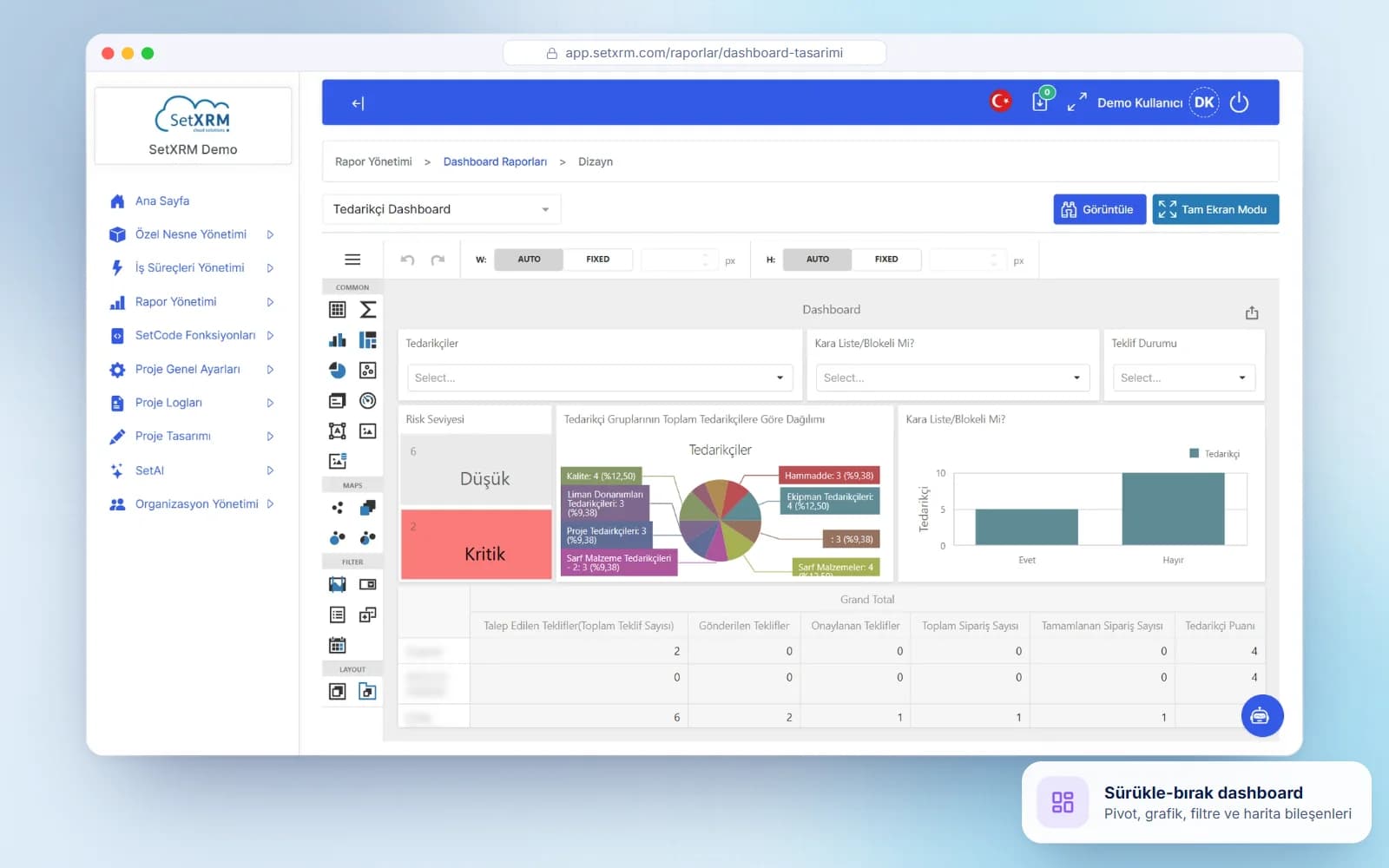
The SetXRM LCDP (Low-Code Development Platform) has DevExpress Web Dashboard Designer integrated as an embedded component.
- PDF, image or Excel output
- Scheduled e-mail delivery
- Permission-based report usage
- Pivot tables and charts
Product Tour
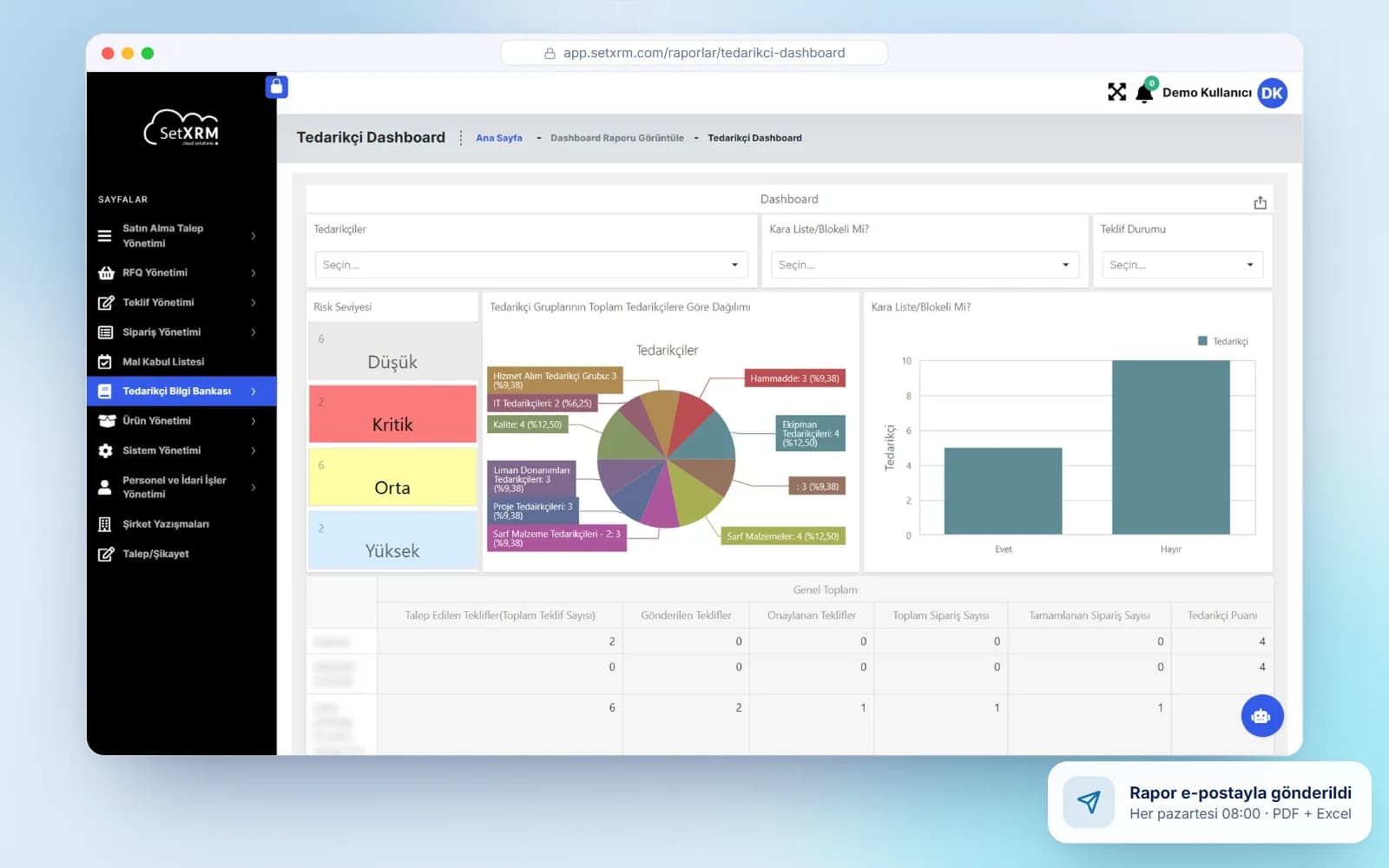
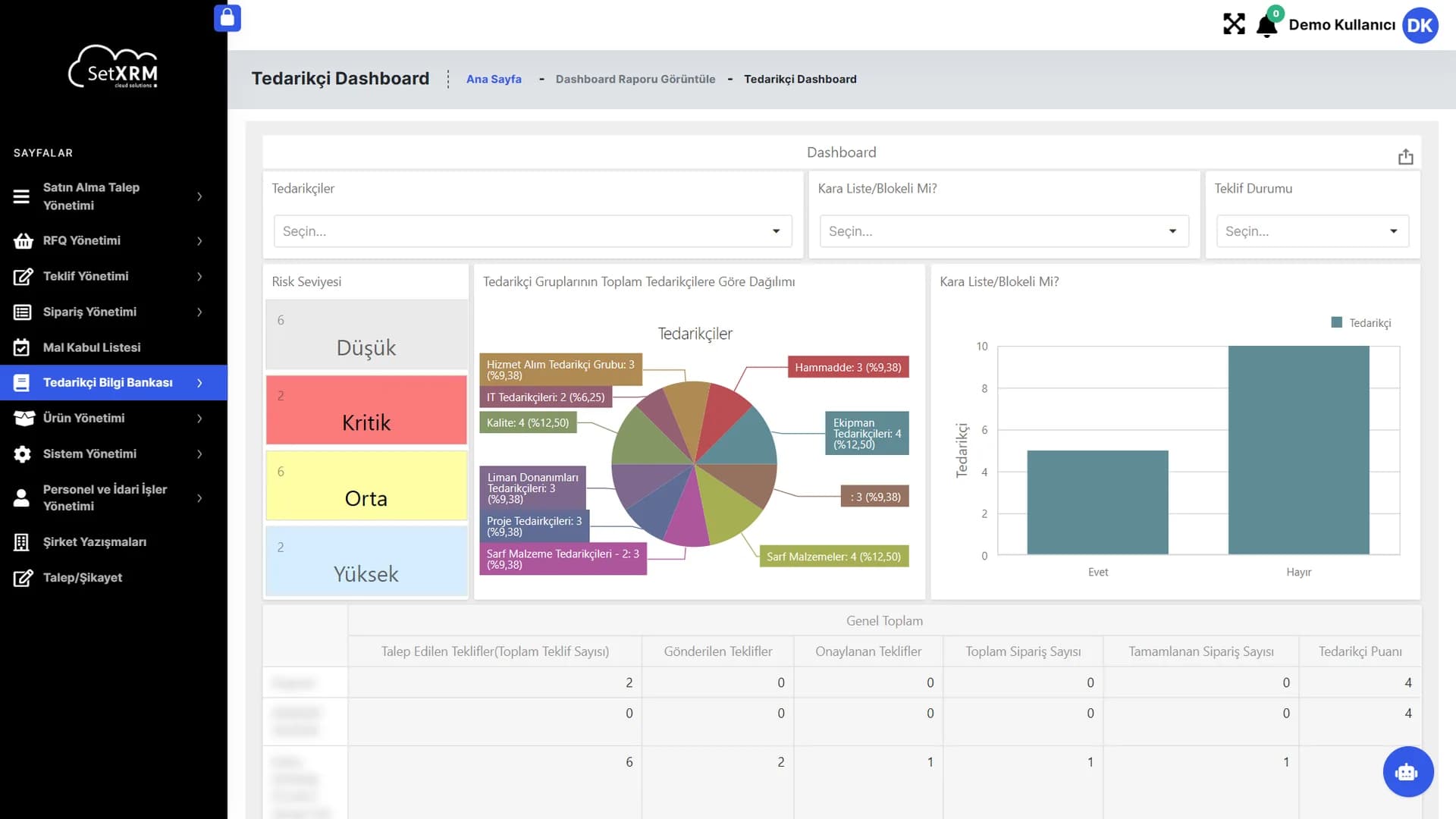
Design the report, publish it on a dashboard
A dashboard prepared in the admin designer runs with live data on your users' screens.
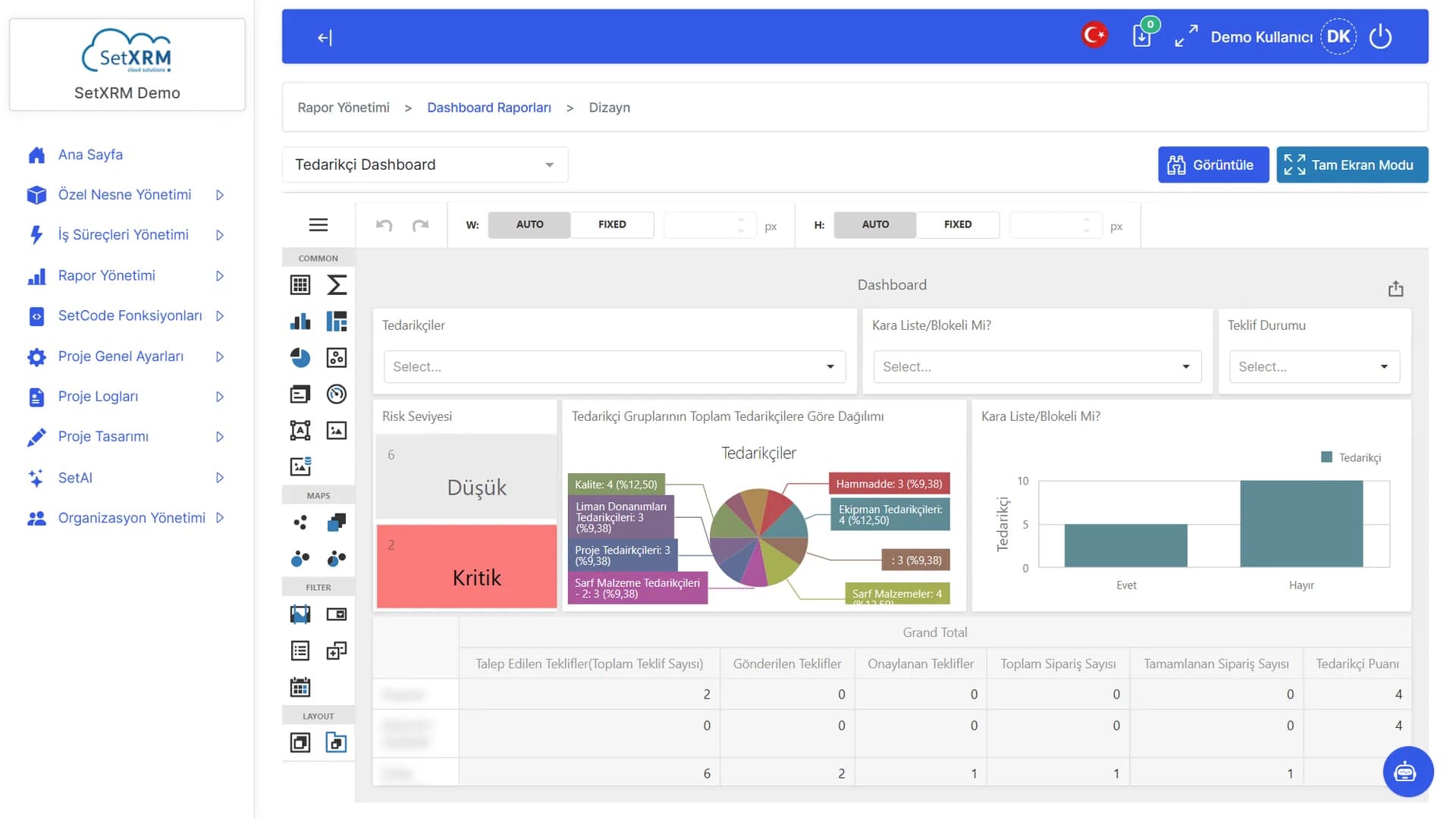
Component toolbox
Tables, charts, pies, gauges, maps, filters and layout items.
Live preview
Works with real data while you design.
Sizing
Component width and height: automatic or fixed.
View / Full screen
Share the dashboard with users or present it on screen.
Drag-and-drop dashboard designer
Build your own dashboards by dragging in tables, charts, pies, gauges, maps and filters – then present them in full-screen mode.
Modules
Reporting capabilities
SetXRM offers three ways to query information: listing, dynamic reporting and batch jobs.
Unlimited reports and filters
Create countless reports for new modules and fields, add as many filters as you need, such as date or person, and revise reports whenever you like.
Automatic e-mail
Export reports as PDF, image or Excel and send them automatically by e-mail to selected users at defined intervals.
Dashboard design
Companies create their own reports and dashboards; dynamic reports are used according to permissions and stay current through online queries.
Pivots and charts
Reports are exported using pivot table logic and any chart can be built on them; modules can be linked, sorted and filtered by the criteria you need.
Listing
Records of each custom object or linked object group are listed by permission in the desired format and criteria and exported to Excel, Word, PDF or txt.
Batch reporting
Comprehensive, data-mining-level analyses are prepared by batch jobs running at night, and the results are e-mailed to the right people in the planned format.
Batch reports and personal dashboards
Batch reporting analyses and reports more comprehensive, data-mining-level data. These reports run at night and e-mail the results to the relevant people (e.g. product-based company sales for the last three months, monthly and salesperson-based sales, product-based profitability).
Users prepare reports within their permissions, save them in the system and run them whenever they want. These reports can also be used as dashboards (e.g. sales of a specific customer, personal target and performance reports, activity-based sales summaries, pipeline performance). Three hours of training is all users need.
Related solutions
You may also be interested in
A tailored demo of Dynamic Reporting
Tell us about your needs and we will configure SetXRM around your business processes together.