
SetXRM Solutions
Service Management
From call registration to field service, from warranty tracking to spare parts stock, control all your after-sales processes from a single point with SetXRM.
After-sales support in one hub
SetXRM Service Management tracks the after-sales support and periodic maintenance of your products and services and lets you control the related service income and expenses from a single point.
Requested reports for every module can be designed in the dynamic report module and generated on a monthly, quarterly and annual basis.
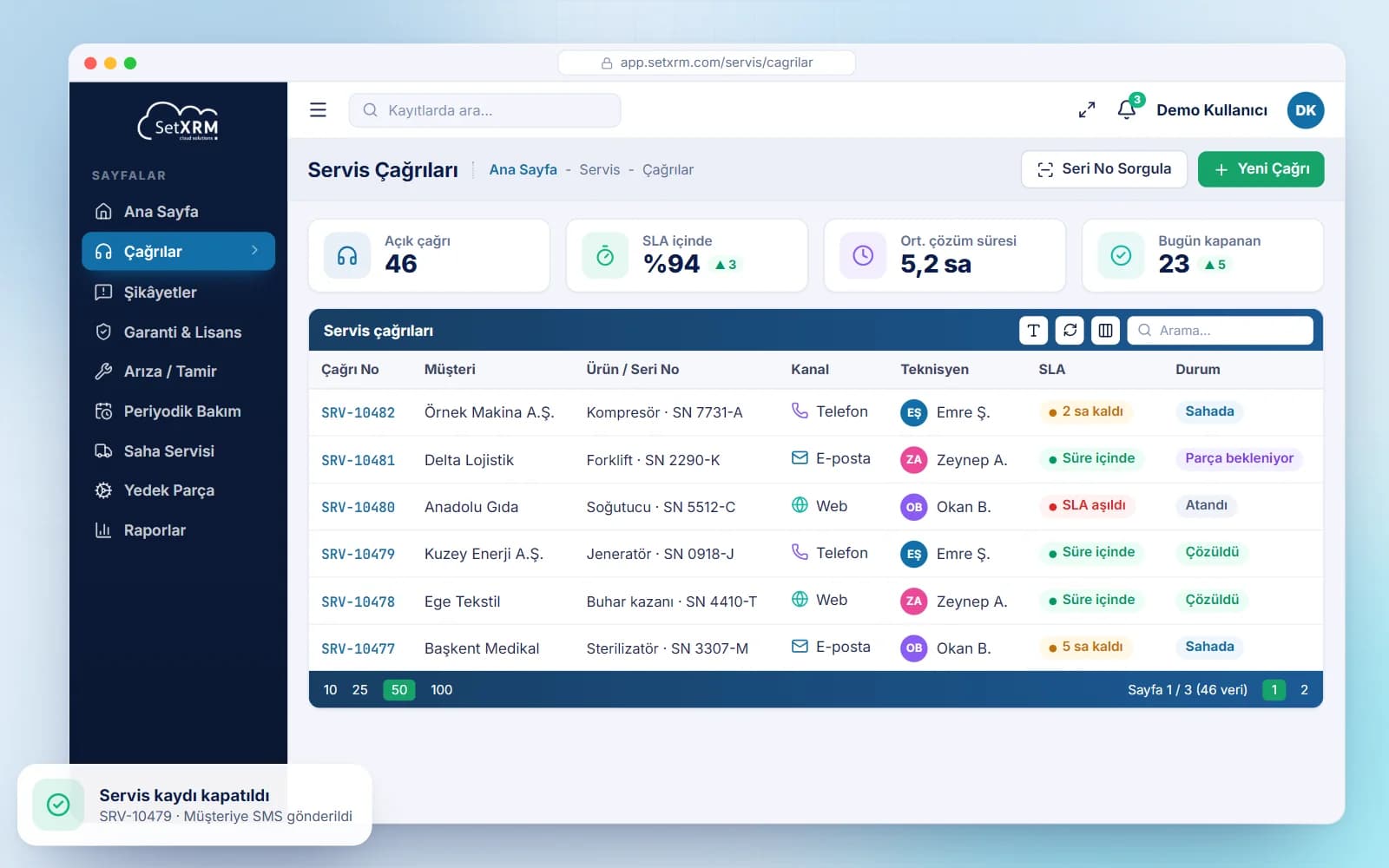
- Calls via phone, e-mail and web
- Customer updates via SMS and e-mail
- Warranty check by serial number
- Field service with the mobile app
Modules
Service management modules
Call Management
Requests arriving by phone, e-mail or web receive a call number used to track the entire process. Problems that cannot be solved by phone are assigned to the right team at headquarters or a service dealer.
Customer Complaint Management
Complaints from the website, phone, e-mail and social media are routed by type to departments, dealers or external service providers; resolution stages are tracked by status and shared with the customer via SMS or e-mail.
Warranty and License Tracking
Warranty starts on the date of sale for products without installation and when the installation service is completed for others. Supplier warranties and software licenses are tracked too, with alerts for expiring items.
Fault and Repair Management
A barcode is printed for each product arriving at headquarters, warranty is checked by serial number, history is reviewed and a fault code is entered. Chargeable repairs start after the service quotation is approved; the customer is notified of the result.
Periodic Maintenance and Calibration
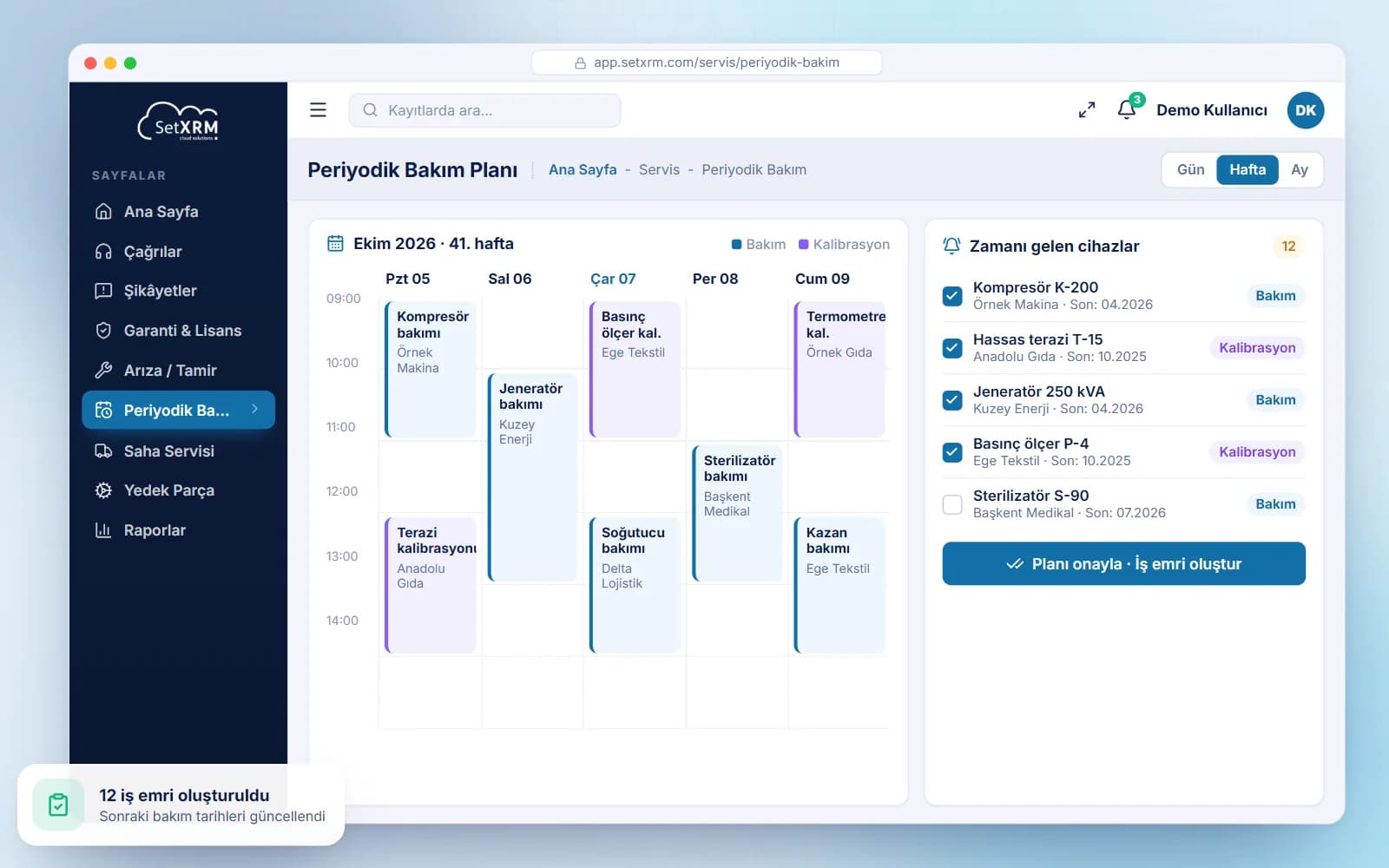
Maintenance and calibration intervals – especially for measuring and medical devices – are entered; due devices are scheduled automatically, work orders are created after the service manager’s approval and the next date is updated.
Consignment Product Management
Track which customer and department holds consignment products, for how long, when they return, where they go next and their counter numbers; movements are recorded by serial number in a virtual consignment warehouse.
Field Service Management
Installation and fault notifications are assigned to technicians by the service manager. Technicians use the work order in the mobile app to locate the customer on the map and announce the visit; replaced parts are deducted from stock.
Spare Parts Management
Spare parts are defined per main product to prevent wrong selections, and exploded technical drawings are available in the system. A virtual warehouse per technician keeps spare parts stock up to date.
Service Hours and Expense Entry
Field staff enter travel and accommodation expenses with photos of receipts, and record their time split by working hours, overtime and holidays. Entries are approved, billable amounts go to accounting and advances are deducted from payouts.
Planned maintenance, controlled service
Maintenance and calibration intervals are entered once; the system lists the devices that are due and schedules them automatically. After the service manager approves the schedule, work orders are created, maintenance and calibration data are entered and the record is closed with the next due date.
When a complaint is resolved, the customer is called for confirmation and the record is closed; complaints are grouped by type and reported monthly, quarterly and annually.
Related solutions
You may also be interested in
A tailored demo of Service Management
Tell us about your needs and we will configure SetXRM around your business processes together.